
Pay your bill with the right reference
Pay securely by EFT or through the Web Portal. Always use the unique account reference shown on your own invoice so we can allocate your payment correctly.
Video guide
Watch how to read and pay your invoice
Prefer to watch? Follow along as we walk through an Orah Energy invoice and show you how to pay it.
How to Read & Pay Utility Invoices
Choose a payment method
Two simple ways to pay
- 1
Find your unique account reference at the top left of your invoice.
- 2
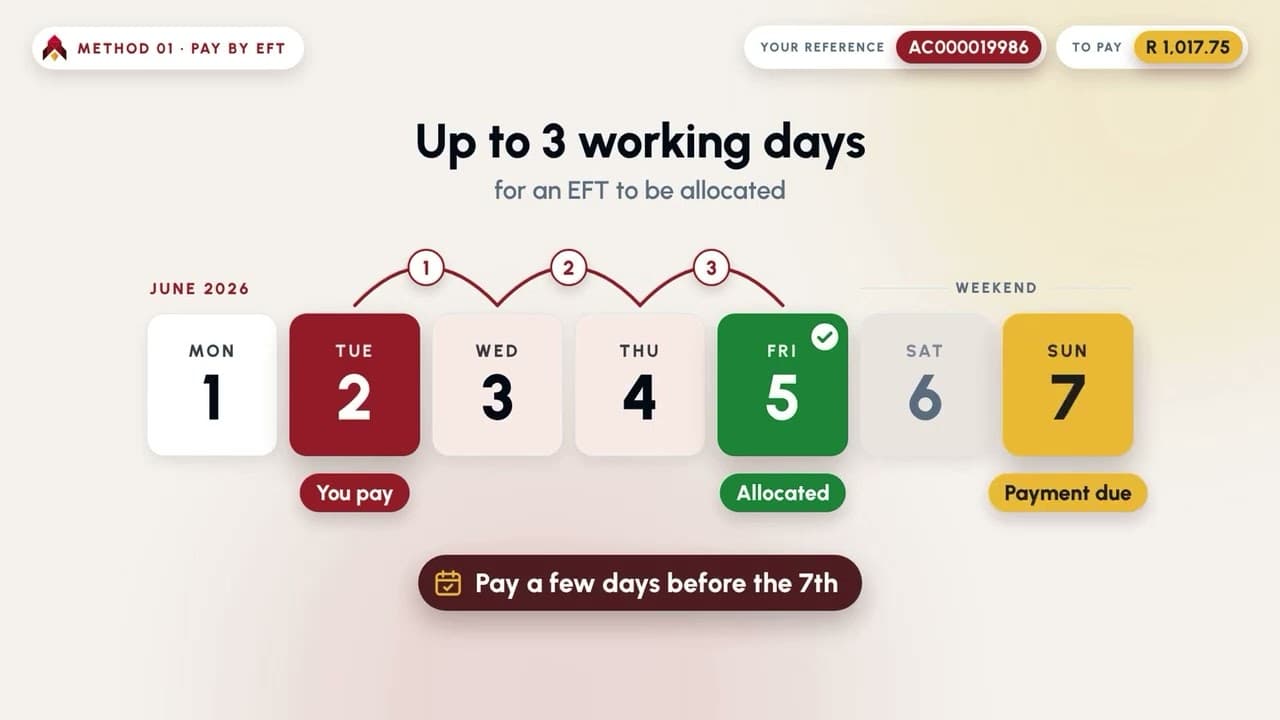
Add Orah Energy as an FNB beneficiary using the banking details shown below.
- 3
Pay the statement total and enter your unique account reference exactly as it appears on your invoice.
- 1
Open the secure Orah Energy Web Portal below.
- 2
Click on Postpaid then fill your unique account reference to identify your account.
- 3
Follow the on-screen payment instructions to pay.
EFT banking details
Add Orah Energy as your beneficiary
Fill in the following banking details as displayed here, make sure to use your own account number as reference.
Beneficiary
Orah Energy
Bank
FNB
Branch code
250655
Account number
62883806378
Use your own account reference
AC000019986 is an example from the sample invoice. Do not use it unless it is the reference printed on your invoice.
Read your invoice
Find the details you need
This simplified invoice is an illustration. The values shown are examples and should not be used to make a payment.

Orah Energy (Pty) Ltd
Tax Invoice
Account reference
AC000019986
Example only
Customer
Sample customer
Unit 1XXXX
Due by
03/06/2026
Example only
Statement total
R 1,017.75
Example only
Banking Details
Find your account reference
Use the account reference printed on the top left of your invoice. AC000019986 is an example only.
Statement total
Pay the full Statement Total as it appears on your invoice.
Due date
Make sure your payment reaches Orah Energy by the 5th of every month.
Before you pay
A few checks can help prevent delays, penalties and payment allocation fees.
Keep your contact details up to date so invoices and notices reach you.
Contact Orah Energy if you have not received your invoice by the first day of the month.
Not receiving an invoice does not remove the obligation to make payment.
You can also pay through the Orah Energy App or Web Portal using your account reference.
Pay by the 5th of every month to avoid penalties and other charges.
Deposits may be adjusted if your usage exceeds the standard deposit amount.
Incorrect payment references and cash deposits may attract additional fees.
Need help with your payment?
Contact Orah Energy
Contact Orah Energy if your contact details have changed and our support team will assist.